
EasyEnv
System Design Lab

Draw the architecture. Then prove it holds.

A canvas for system design with the real parts of AWS, Google Cloud, Azure and Kubernetes. Push traffic through it, walk a request across it, and share it with a link. No machine needed.

Real parts

Draw it with the parts you really run.

Every card is a real service with its official logo, not a grey box with a label. Put an EC2 in a VPC, a Postgres on it, and the canvas knows what each one is.

AWS

Services

Google Cloud

Services

Azure

Services

Kubernetes

Managed or self-run

Templates

Start from an architecture that works.

Interview classics and real cloud layouts. Open one to look around, then press Edit to make it yours.

See all 18 templates
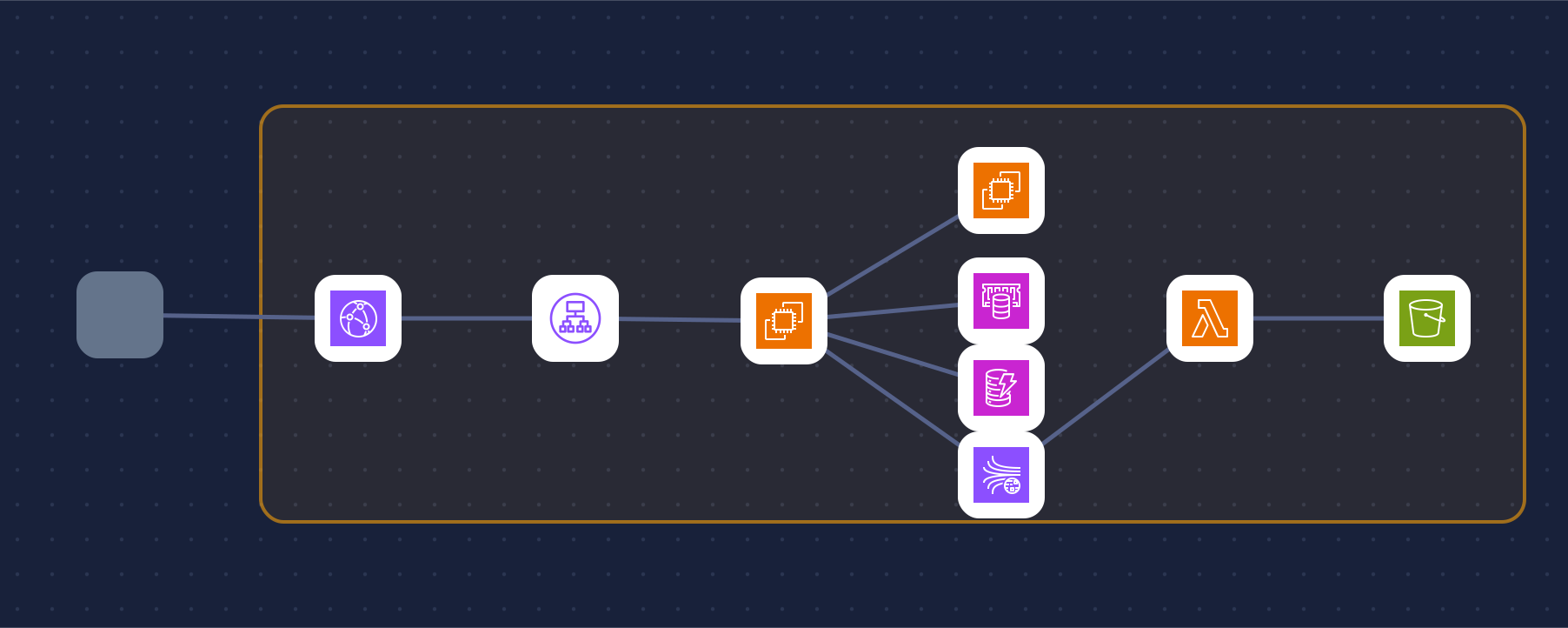
AWS
3-tier web app on AWS

A classic web app on AWS: CDN and WAF in front, an Auto Scaling app tier behind a load balancer, and a Multi-AZ database in private subnets.

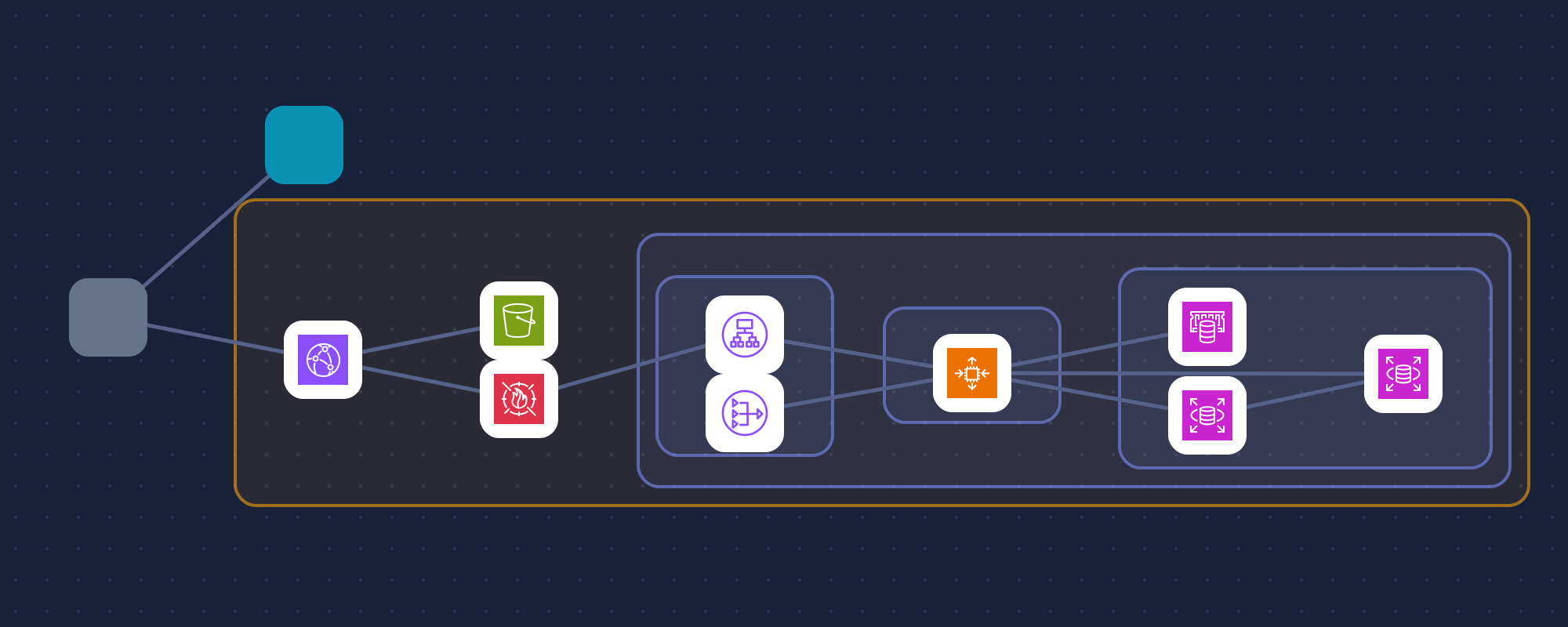
Google Cloud
Shared VPC on GCP

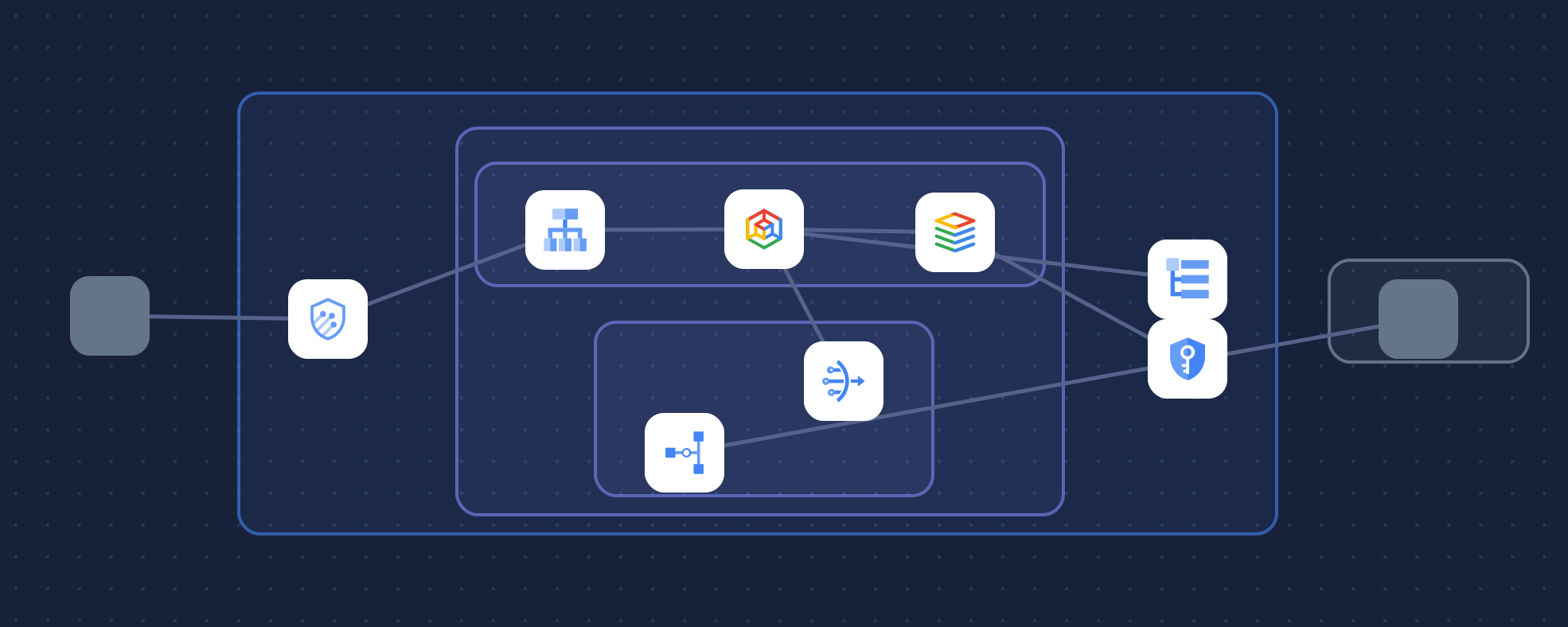
The shared VPC of a host project with prod and shared-services subnets, an HTTPS load balancer behind Cloud Armor, Cloud NAT, central logging and an HA VPN to on-prem.

Kubernetes
Kubernetes best practice

A production Kubernetes cluster laid out the recommended way: ingress, namespaces, autoscaled deployments, default-deny network policies and stateful storage.

Simulate

Push traffic through it and find what breaks first.

Drag the traffic up, take a zone down, and watch every part fill up. The bottleneck, the latency, the success rate and a rough monthly cost update as you go.

  • Traffic slider, ×10 and lose-a-zone
  • Load on every card, hottest one flagged
  • A rough estimate to argue with, never a score
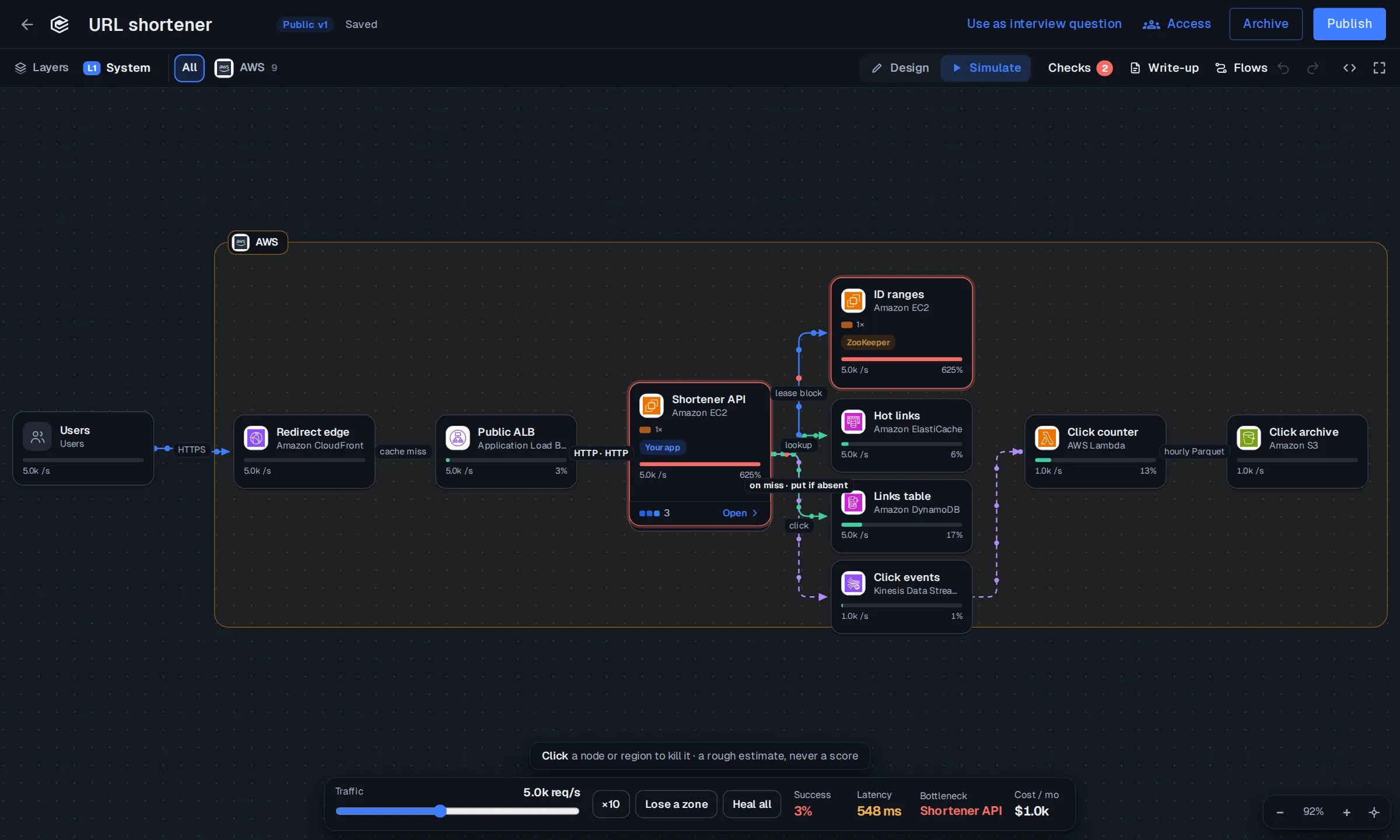
Simulate mode: traffic through a URL shortener on AWS, with the bottleneck, latency and cost

Flows

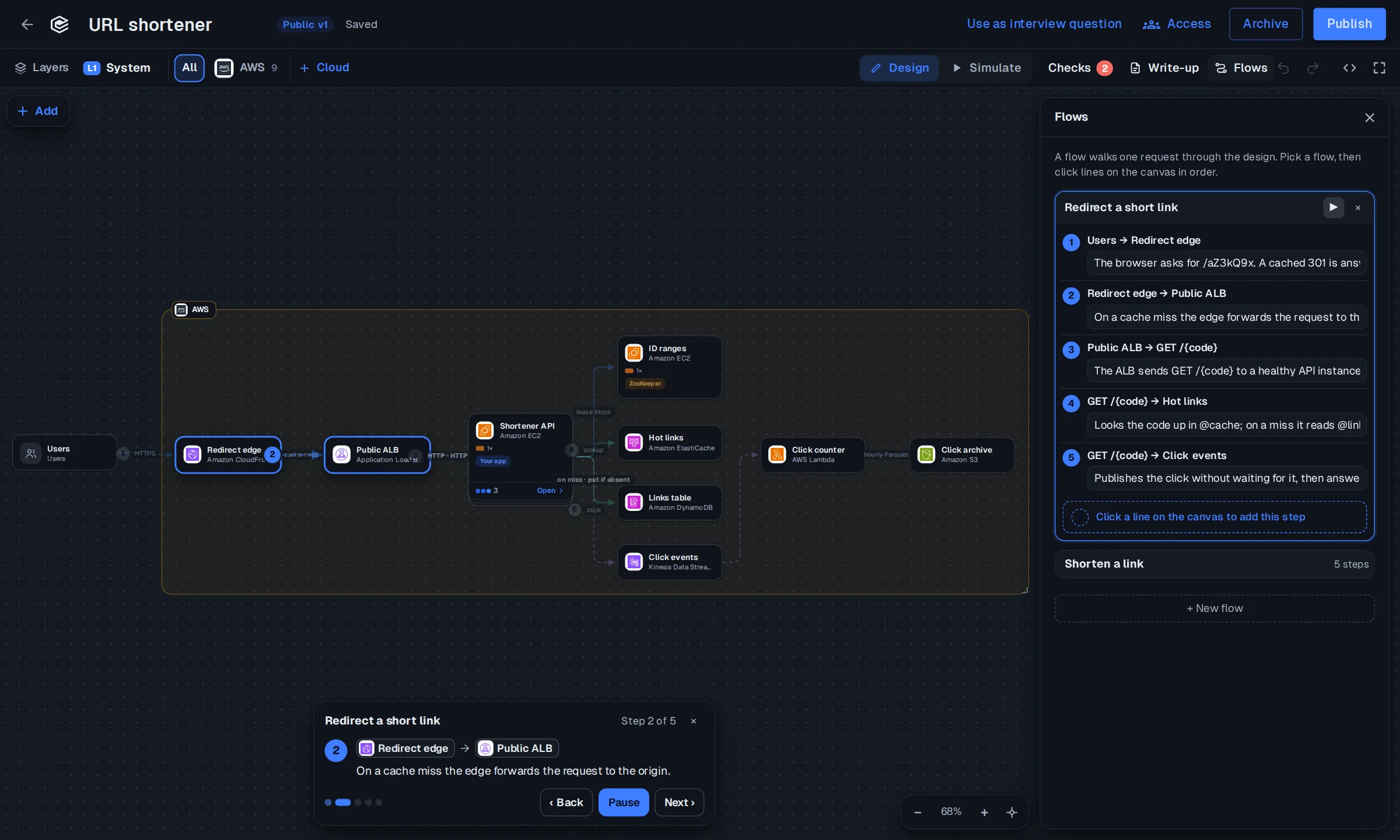
Walk one request through the design, step by step.

A flow plays a request across the lines you drew: what the browser asks, where the cache answers, what happens on a miss. Anyone reading the design follows the same path you meant.

  • Steps are the lines on the canvas, in order
  • Play, pause and step back
  • Several flows per design: read, write, failure
A flow playing step two of five, from the CDN to the load balancer

Write-up

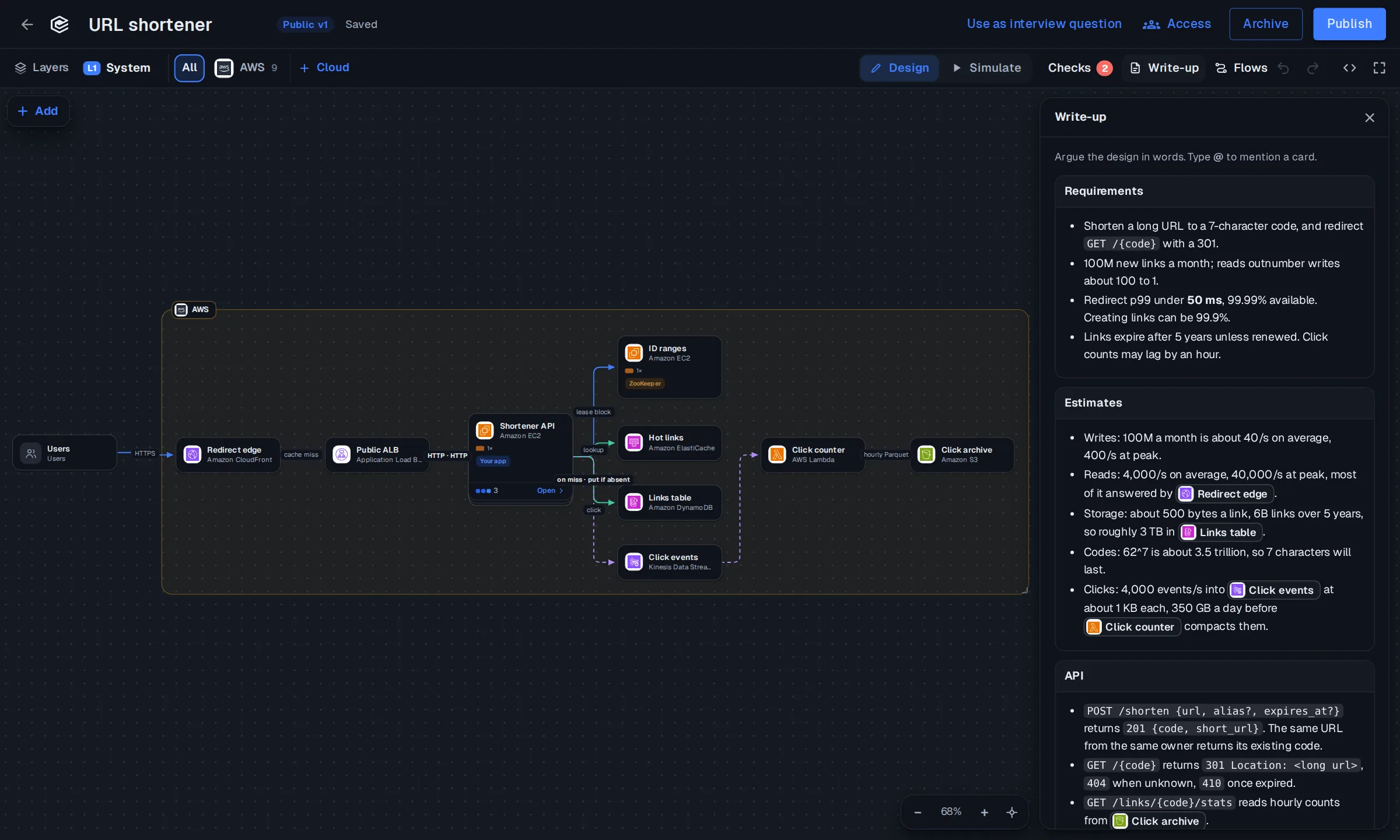
Argue the design in words, right next to it.

Requirements, estimates, the API, the trade-offs. Type @ to point at a card on the canvas, so the reasoning and the drawing never drift apart.

  • Sections like requirements, estimates and the API
  • @mentions link straight to a card
  • Read together with the canvas, not in another doc
The write-up panel with requirements, estimates and an API beside the canvas

Share

A link anyone can open. No sign-in to look.

Publish a design and send the link, or embed it in a blog post. Readers can look around the full canvas, read the write-up and play the flows, then clone it into their own account.

  • Private until you publish
  • Embed with one snippet
  • Clone & edit for whoever opens it
dashboard.easyenv.io/d/aZ3kQ9x
URL shortenerv3

by the platform team · cloned 41 times

Clone & edit
A published URL shortener design

Embed

<iframe src="https://dashboard.easyenv.io/embed/d/aZ3kQ9x"
  title="URL shortener" width="100%" height="520"></iframe>

For hiring

The same canvas is an interview question.

Give candidates a starter design or a blank canvas. Reviewers read the design, the write-up and an AI review side by side, instead of a photo of a whiteboard.

System design interviews

Your next design starts here.

Free to start. Pick a template or a blank canvas, and share the link when it holds.