EasyEnv

How to Create an Interview

December 1, 2025·1 min read·By EasyEnv·
How to Create an Interview

These steps show you how to set up a new interview from start to finish

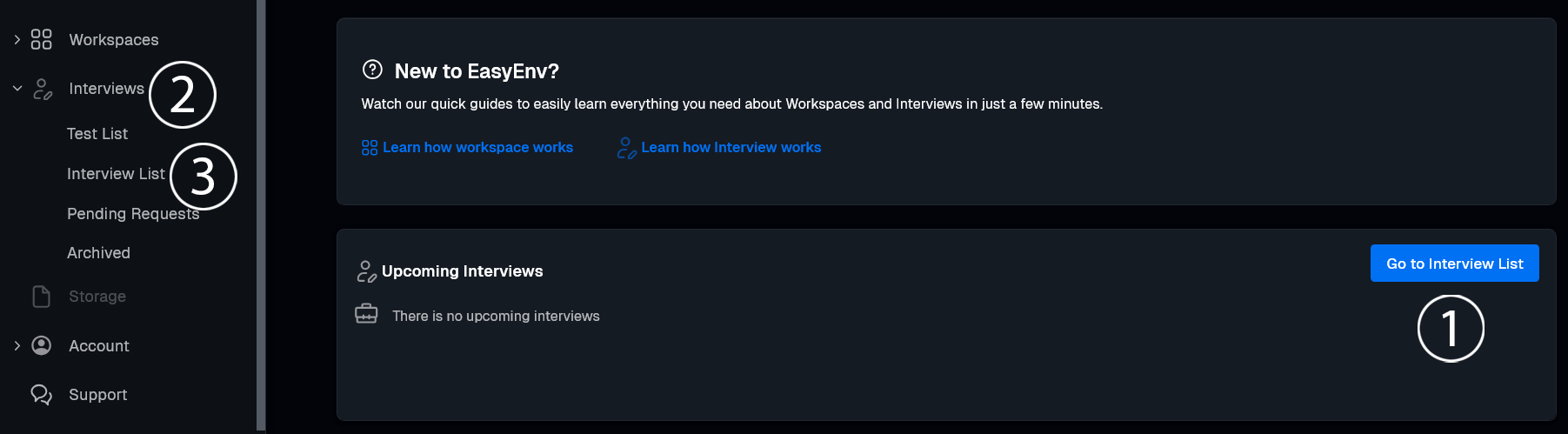
1. Go to Interview List

  • Option A: Click Go to Interview List (1) on your dashboard
  • Option B: In the left menu, click Interviews (2), then Interview List(3)
2. Create Interview

Click the blue + Create Interview button.

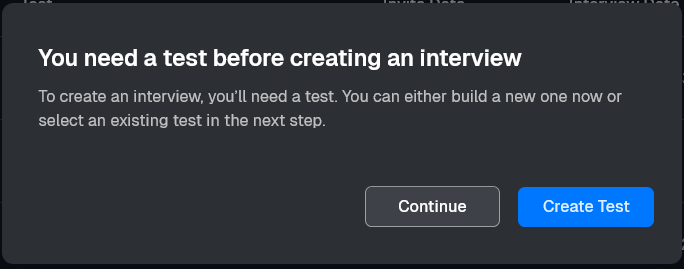
3. Test Requirement

A popup says You need a test before creating an interview.

  • If you already have a test, click Continue.
  • If you do not have a test, click Create Test and follow this guide
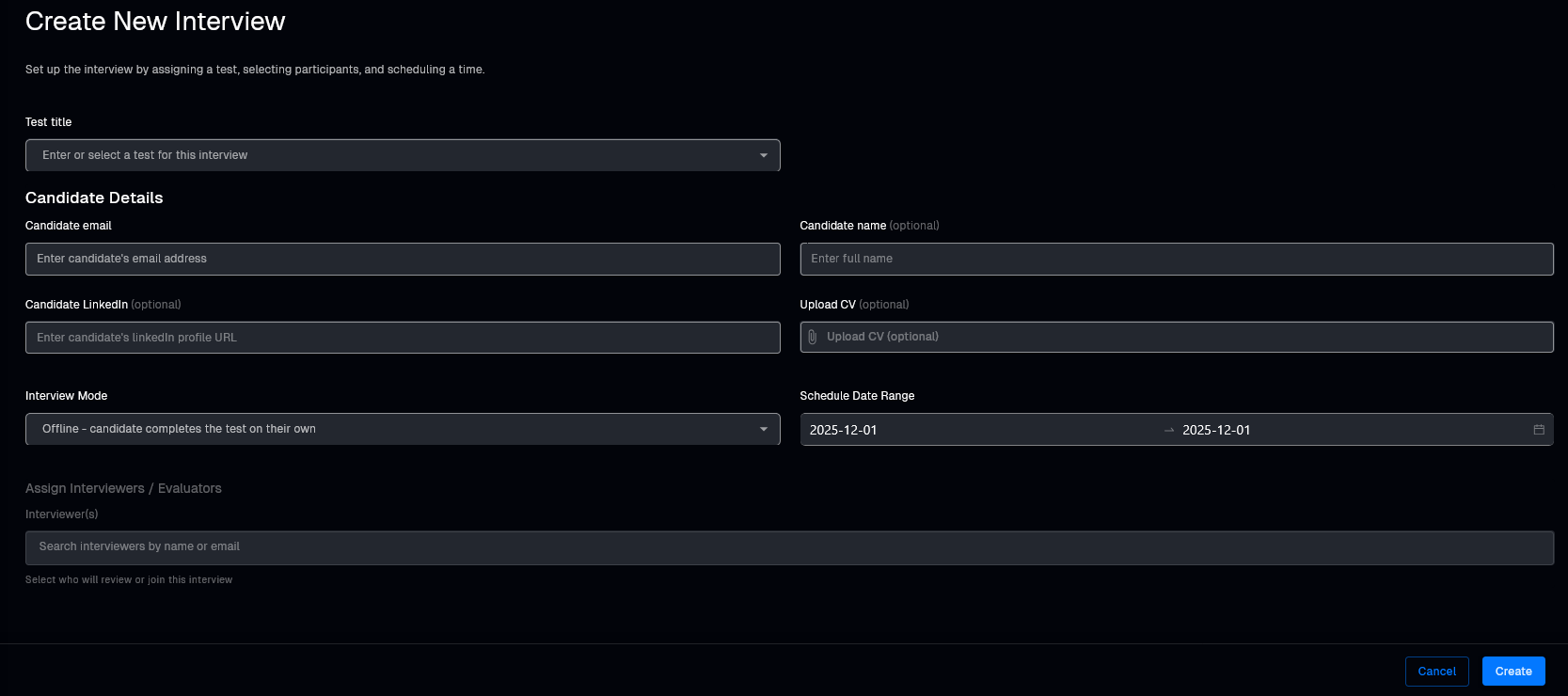
4. Fill the Create New Interview form

Test title

Click Test title and choose a test from the list.

Candidate Details

  • Candidate email – enter the candidate's email.
  • Candidate name (optional) – enter full name.
  • Candidate LinkedIn (optional) – paste LinkedIn profile URL.
  • Upload CV (optional) – upload a CV file.
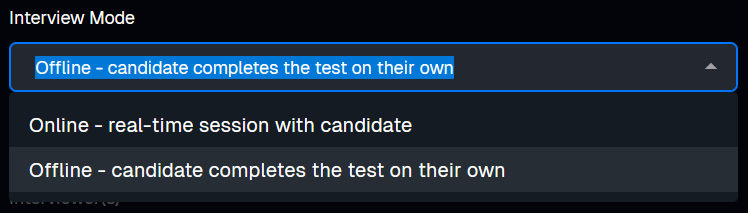
Interview Mode

Open the Interview Mode dropdown:

  • Take-home assignment – candidate completes the test alone.
  • Live – interviewers join the interview, can monitor it, and chat with the candidate.
Schedule Date Range

Set the start and end date.

Assign Interviewers / Evaluators

In Interviewer(s), search by name or email and select who should join.

5. Create

When everything is ready, click Create in the bottom right corner.

Your interview is now created and ready to use.

For hiring teams

Hire engineers with real-world interviews

Run live coding sessions and take-home challenges in real production environments. Watch sessions back, score consistently, and hire with confidence.

Continue reading

More posts you might like

Forward Deployed Engineer (FDE) Interview: How to Hire FDEs
November 16, 2026·17 min read

Forward Deployed Engineer (FDE) Interview: How to Hire FDEs

Hiring forward deployed engineers (FDEs)? An FDE is judged inside a customer's environment, by the customer's rules. What the interview needs, the 60-minute loop we run for it, what to watch in each stage, and a rubric you can use tomorrow.

Read more
System Design Interview Tool: A Canvas Your Reviewer Can Read, Push Traffic Through and Replay
November 13, 2026·6 min read

System Design Interview Tool: A Canvas Your Reviewer Can Read, Push Traffic Through and Replay

EasyEnv now has system design questions and a System Design Lab. Candidates build the architecture layer by layer on a typed canvas, and your reviewer reads what was built, the reasoning next to it, and how it got there. Your team can push traffic through a design to find what breaks first.

Read more